Configure the Attendee Lobby
Create a clear, branded, privacy-aware entry experience before viewers join captions.
Written By 4ALL.LIVE
Last updated 4 months ago
Create a clear, branded, privacy-aware entry experience before viewers join captions.
Best for: Organization administrators, event producers, live operators, and authorized support staff.
Before you start
Event access and actions depend on organization role, team scope, plan entitlements, limits, and current event state.
- Use an individual verified account in the correct organization and team.
- Confirm the event owner, live operator, output owner, and incident authority.
- Review the current configuration before changing an existing or live event.
Configuration
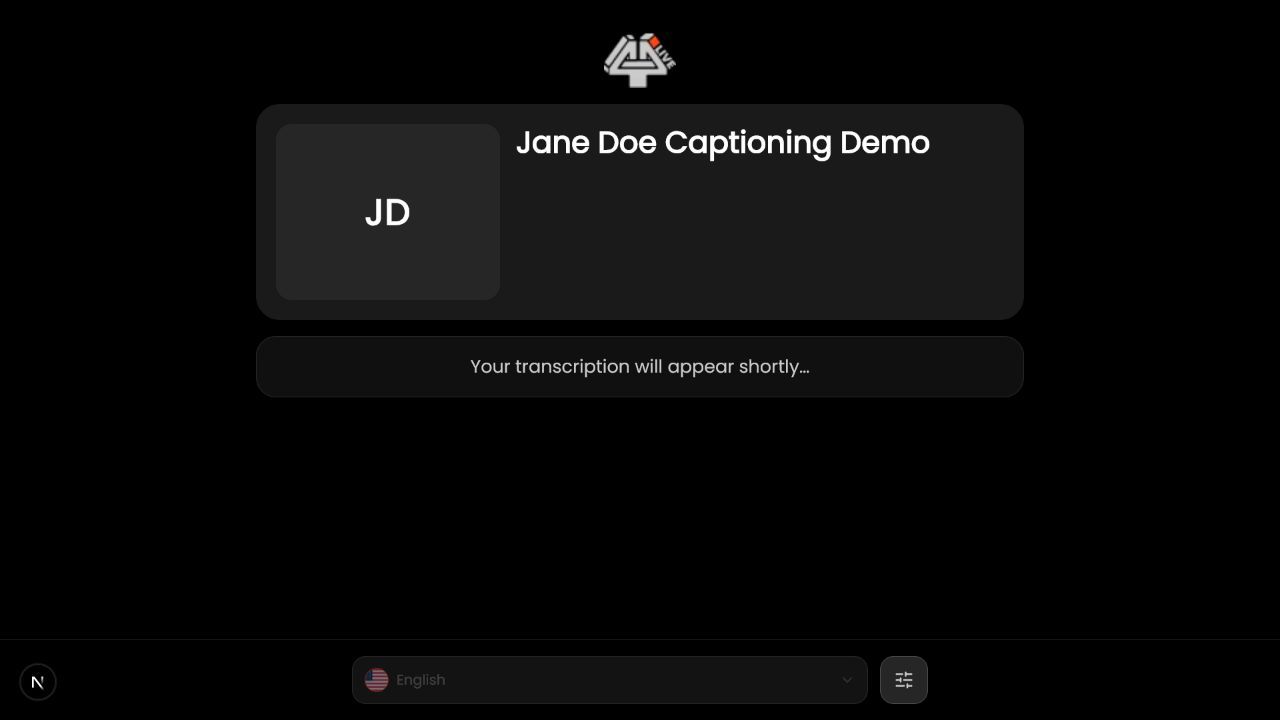
- Open event details/lobby settings. Confirm organization and event.
- Set public information. Use approved name, image, description, location, dates, and support wording.
- Add privacy policy. Use an accessible HTTPS URL describing caption, translation, analytics, form, and recording practices.
- Configure language selection. Offer only enabled monitored languages and choose a sensible default.
- Choose visibility. Decide whether the lobby is public and whether event details should be exposed.
- Choose join behavior. Keep the lobby, skip it, or auto-join according to audience/device needs.
- Preview signed out. Test phone/desktop and screen-reader/keyboard access.
- Re-test after branding or slug change. Regenerate any affected links/QR assets.
What success looks like: The event reaches the intended saved or live state, and every required operator can verify the result without receiving unnecessary access.
Check your setup
- A signed-out attendee understands the event, privacy terms, language choice, and how to join.
Troubleshooting
Lobby shows stale data
Refresh, check event versus organization scope, and confirm save.
Language missing
Enable it in event translation settings and verify plan limit.
Privacy URL blocked
Use a public HTTPS page and test off-network.
Security and operational notes
- Do not expose backstage information.
- Provide a non-QR access method.
- Keep critical join instructions concise and readable.
Related guides
Was this helpful?
Still need help? Ask the team