Sign In with an Email Code or Password
Access 4All with a one-time email code or an optional account password.
Written By 4ALL.LIVE
Last updated 4 months ago
Access 4All with a one-time email code or an optional account password.
Best for: Existing users and operators.
Before you start
Sign-in is available to valid accounts; organization membership, email verification, roles, and teams determine post-login access.
- Know the account email.
- Be able to receive email immediately for code sign-in.
- For password sign-in, add a password to the account first.
Step by step
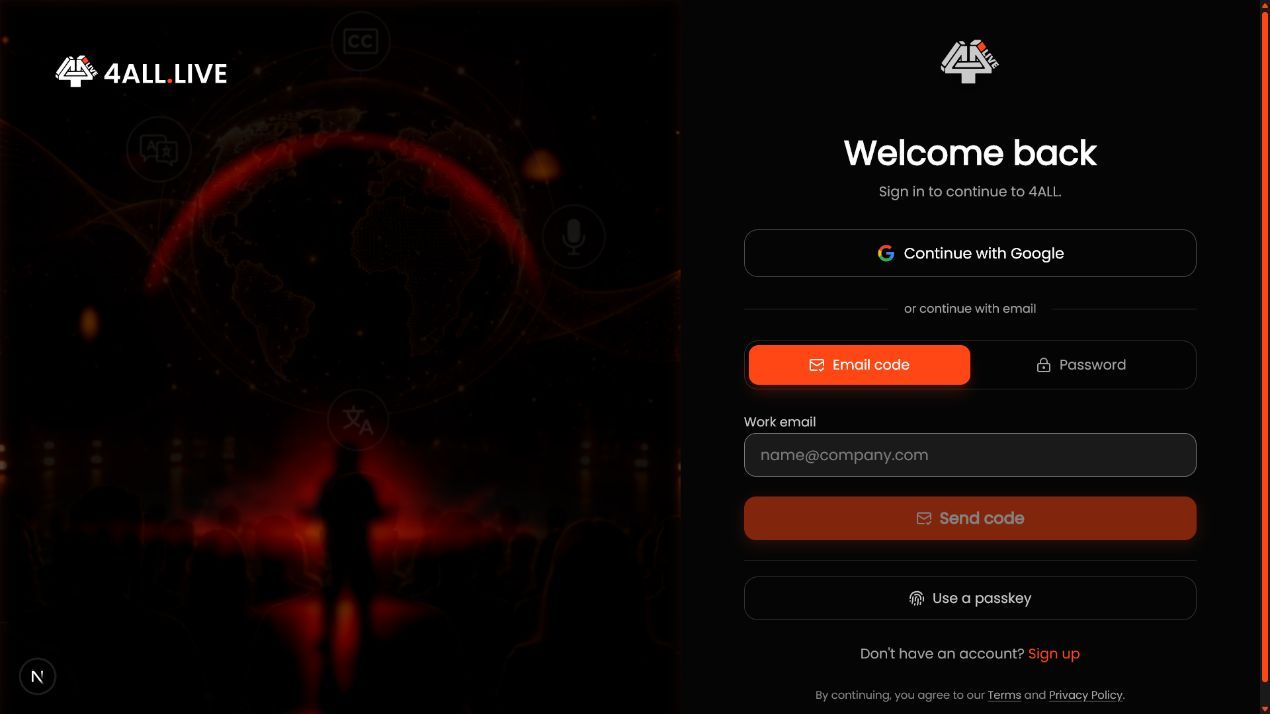
- Open Sign In. Use the official page and preserve any event, invitation, or desktop return destination.
- Enter the exact account email. Use the identity tied to organization memberships.
- Choose the method. Request an email code once or enter the current password from an approved password manager.
- Complete verification. Enter the newest code or submit the password; finish email verification if prompted.
- Check the return destination. Confirm the intended dashboard, event, invitation, or desktop authorization opens.
- Confirm organization context. Use the organization switcher before opening events or settings.
What success looks like: The correct identity is authenticated and lands in the intended organization or preserved return flow.
Check your setup
- The user menu shows the expected identity.
- The active organization is correct.
- Authorized events appear and unauthorized ones do not.
Troubleshooting
Email never arrives
Check spelling, spam/quarantine, and mail allowlisting, then request one current code.
Password fails
Use an email code, then add or change the password in Account Settings.
No events after sign-in
Check organization, accepted invitation, team membership, event assignment, and role.
Security and operational notes
- Do not forward sign-in codes.
- Sign out on shared production machines.
- Only the most recently requested code may remain valid.
Related guides
- Create a 4All Account and Verify Your Email
- Reset a Forgotten Password
- Accept an Organization Invitation
Was this helpful?
Still need help? Ask the team