Quick Start for Organization Owners and Administrators
Set up a secure organization, members, permissions, billing, branding, and a first event.
Written By 4ALL.LIVE
Last updated 4 months ago
Create a production-ready organization with the minimum access, policy, entitlement, and operational configuration required for teams to begin safely.
Best for: Organization owners, account administrators, billing administrators, and deployment leads.
Before you start
Creating an organization may be available during onboarding. Paid features, billable member roles, provider usage, add-ons, and desktop licenses depend on the subscription and billing configuration.
- An account with verified email.
- Organization name, logo, owner, billing contact, privacy URL, and support contact.
- A list of members, their roles, teams, and event access.
- A decision on platform-funded providers versus eligible BYOK credentials.
Quick start
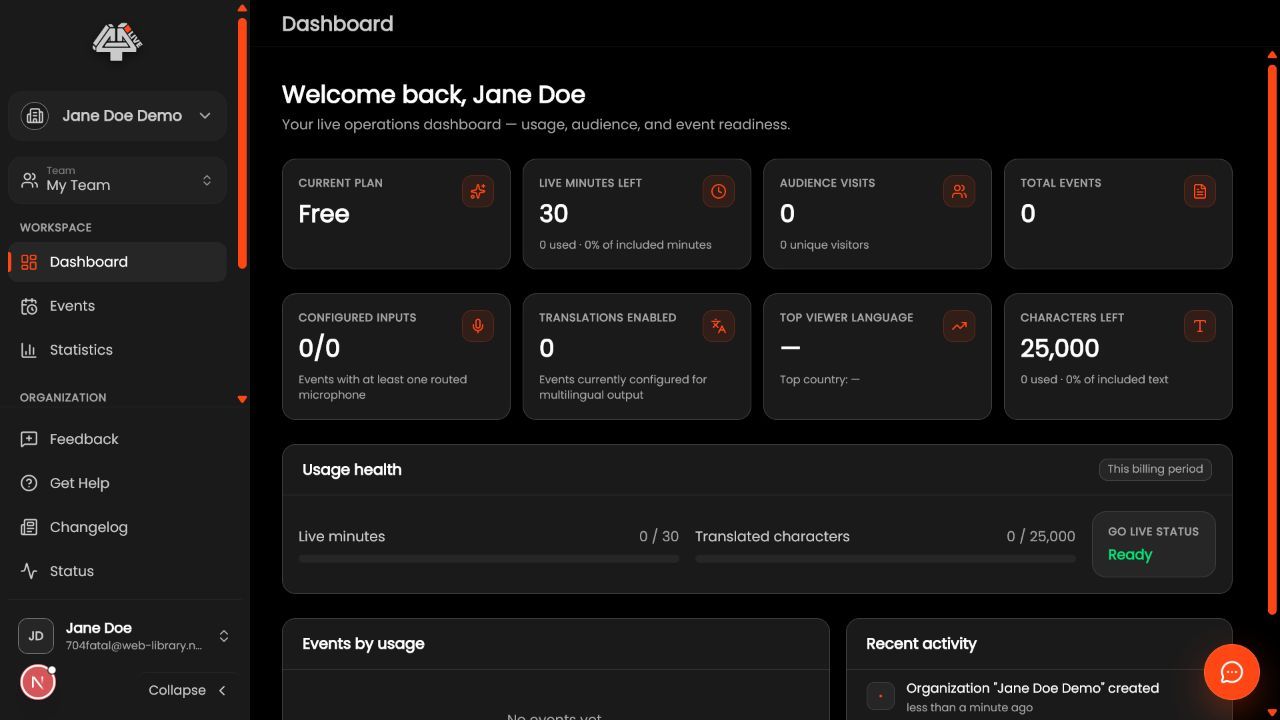
- Create or select the organization. Use the organization switcher or creation flow. Set the official name, verify the organization context before every administrative change, and avoid duplicate production organizations.
- Apply identity and policy settings. Upload approved logos, choose lobby and brand colors with sufficient contrast, add the privacy-policy URL, and review where branding applies.
- Design teams and roles. Create teams that match operational boundaries. Start from default roles, create custom roles only when necessary, and grant event management, Live Setup, takeover, Remote Control, ASL, billing, or deletion permissions deliberately.
- Invite members. Invite by verified email, choose the correct organization role and team, review whether the role is billable, then resend or cancel pending invitations as needed.
- Configure billing and entitlements. Review the active plan, included events/languages/usage, feature entitlements, wallet balance, payment method, automatic top-up policy, add-ons, and desktop license inventory.
- Configure provider credentials when using BYOK. Add only approved Azure Speech/Translator or Google service-account credentials, select the correct region, validate the connection, restrict credential scope, and record rotation ownership.
- Create the first event. Assign the correct team, event name, image, description, schedule, location, slug, lobby behavior, and event-specific access.
- Hand off to production. Name the producer, backup operator, billing escalation, technical owner, and support path. Require a rehearsal and first-event checklist before public distribution.
What this unlocks: The organization has a clear owner, secure roles, functioning invitations, reviewed branding and privacy, valid billing/entitlements, and a first event assigned to an accountable production team.
Check your understanding
- A non-admin test member can see only intended events and actions.
- Billing administrators can open billing without receiving production permissions they do not need.
- Branding and privacy links appear correctly in a signed-out viewer.
- BYOK credentials validate without being exposed to operators.
- A desktop license can be assigned only by the intended role.
Common misconceptions
Member cannot access an event
Check invitation acceptance, active organization, team membership, event team, role permissions, and any event-specific access rule.
Expected feature is unavailable
Check active subscription, entitlement resolution, add-on assignment, usage/wallet state, member permission, and event toggle.
Organization changes appear in the wrong workspace
Confirm the active organization in the switcher before editing members, billing, branding, credentials, or events.
Good to know
- Use separate named accounts; never share an owner or administrator login.
- Apply least privilege and review privileged roles after every production cycle or staffing change.
- Store provider secrets in approved systems and rotate them when an authorized administrator leaves.
Related guides
- 🏢 Organization Management
- 🛡️ Roles and Permissions
- 🧾 Subscription Management
- ➕ Create an Event
Was this helpful?
Still need help? Ask the team