Tune Caption Delay, Offsets, Partials, and Clear Timing
Align embedded captions with video and control partial cadence, payloads, placement, and clearing.
Written By 4ALL.LIVE
Last updated 4 months ago
Balance responsiveness and accuracy while synchronizing caption insertion to the actual program delay.
Best for: Caption engineers and live-production technicians.
Before you start
Included with embedded-caption profiles.
- Sign in with access to the correct organization, team, and event.
- Record event, language, workstation, app build, OS, drivers, destination, and operator.
- Commission with a test pattern and non-public receiver before program video.
- Prepare a repeatable timing script/recording.
- Know the intentional video delay.
- Use an independent CEA decoder.
Step by step
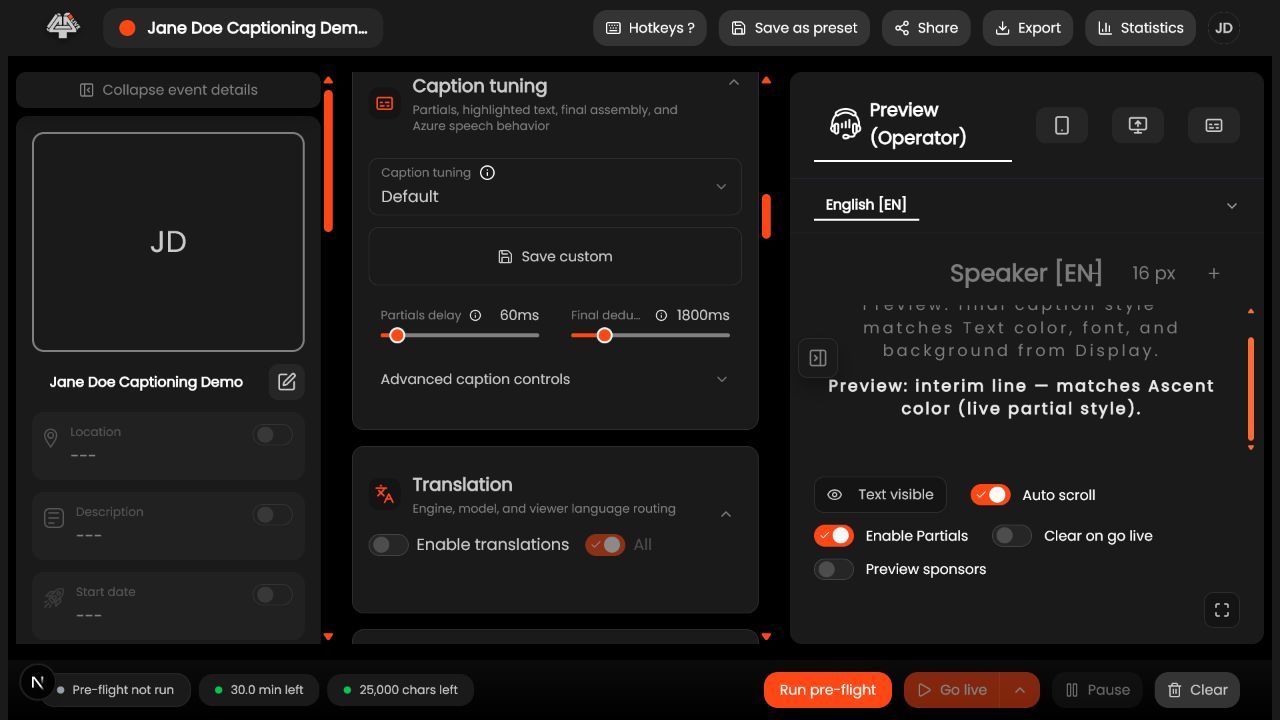
- Start with defaults: program delay 2200 ms, caption offset 0 ms, embedded offset -2200 ms, partial interval 700 ms, delta-append, two roll-up lines, and clear timeout 2000 ms.
- Measure speech-to-caption timing at the final receiver.
- Set Program delay to intentional video delay.
- Use Caption offset for general presentation; use Embedded caption offset within -10000 to 10000 ms for CEA alignment.
- Choose Partials and finals or Finals only.
- Increase partial minimum interval within 0–3000 ms if the decoder churns.
- Keep delta-append for roll-up; test full-state only with compatible decoders.
- Use origin row -1 automatic or 0–14 and column 0–31.
- Set roll-up timeout within 0–60000 ms and clear timeout; test silence, corrections, long speech, and boundaries.
What success looks like: Captions track the designed delay without duplication, churn, premature clears, or stale text.
Check your setup
- Recorded reference proves timing.
- Finals do not duplicate partials.
- Silence clears as documented.
- Placement remains readable.
Troubleshooting
- Text leads: increase effective delay or reduce negative offset.
- Text lags: reduce delay only after measuring network/recognition.
- Repeated text: compare delta-append/full-state with decoder behavior.
- Clear wrong: adjust one timeout at a time.
Security and operational notes
Important: Offsets interact and receivers buffer differently. Change one value, record it, and validate every destination.
Related guides
Was this helpful?
Still need help? Ask the team