Choose a Speech Recognition Provider
Compare Azure Speech, Google Chirp 3, and Speechmatics for language, latency, diarization, glossary, and operations.
Written By 4ALL.LIVE
Last updated 4 months ago
Compare Azure Speech, Google Chirp 3, and Speechmatics for language, latency, diarization, glossary, and operations.
Best for: Live producers, caption operators, audio engineers, broadcast engineers, and authorized event administrators.
Before you start
Audio, speech providers, multi-speaker features, and usage are governed by event permissions, plan entitlements, provider support, credentials or wallet, and browser/device compatibility.
- Use the production event and supported browser/device.
- Know the source language, speaker plan, latency target, output requirements, and fallback.
- Test with representative voices, noise, pace, and the actual signal chain.
How to choose
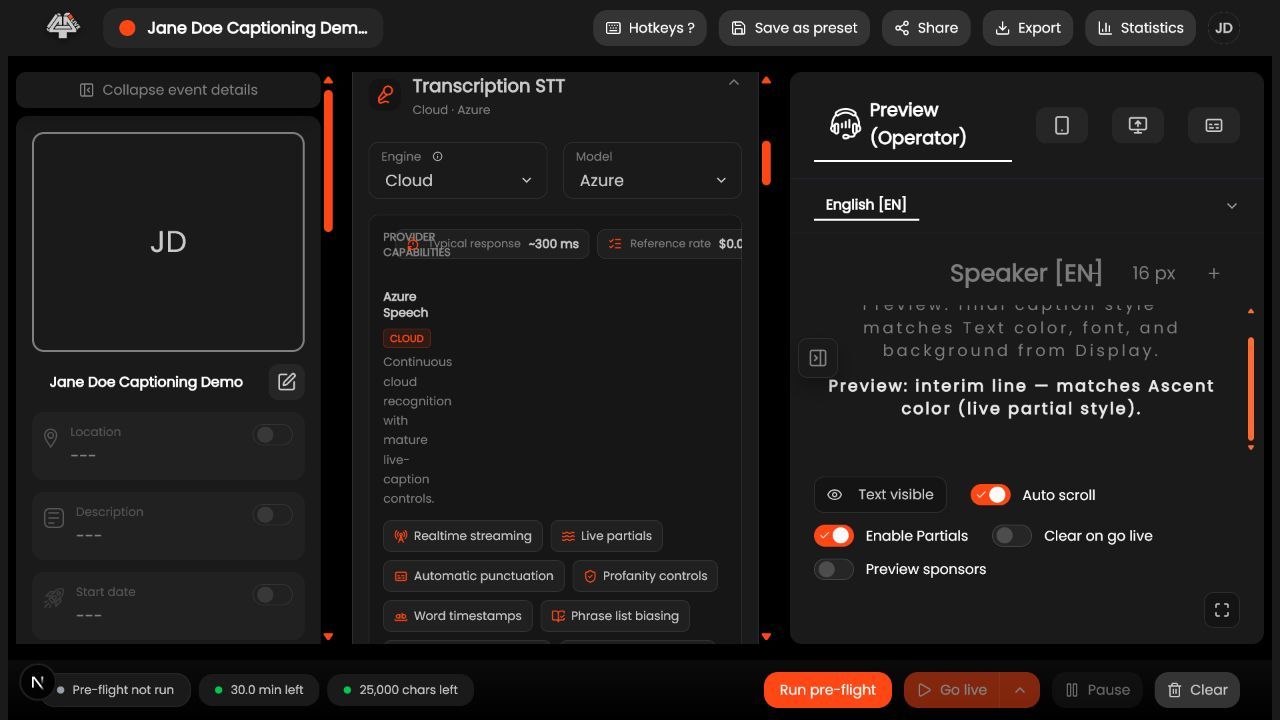
- List mandatory capabilities. Locales, auto detection, diarization, partials, timestamps, glossary, profanity policy, delay, region, and resilience.
- Check plan/provider access. Confirm entitlement, wallet or BYOK, credentials, and language limits.
- Test Azure. Evaluate segmentation, profanity, timestamps, region, and phrase-list behavior.
- Test Google Chirp 3. Evaluate relay/fallback, punctuation, denoiser, endpointing, and adaptation.
- Test Speechmatics. Evaluate model, delay, diarization, operating point, and vocabulary.
- Benchmark same audio. Use consented representative samples and identical output criteria.
- Choose primary/fallback. Document why, settings, owner, and outage procedure.
- Revalidate releases. Provider models and coverage can change.
What success looks like: The configured audio and recognition path produces stable, attributable captions within the approved latency/quality target and has a tested recovery path.
Check your setup
- The provider decision is evidence-based and has an operationally compatible fallback.
Troubleshooting
Provider not selectable
Check plan, event language, entitlement, credentials/funding, and region.
Quality differs from test
Compare audio path, settings, model/version, glossary, and environment.
Fallback lacks feature
Design a degraded but safe mode and tell operators what changes.
Security and operational notes
- Do not choose solely on a single demo phrase.
- Protect benchmark audio/transcripts.
- Verify current provider terms and regions.
Related guides
- Provider Credentials, Wallet, and Regions
- Azure Speech Settings
- Google Chirp 3 Settings
- Speechmatics Settings
Was this helpful?
Still need help? Ask the team