Sign In with Google
Authenticate through Google and recover from account-linking or callback errors.
Written By 4ALL.LIVE
Last updated 4 months ago
Authenticate through Google and recover from account-linking or callback errors.
Best for: Users whose organization permits Google sign-in.
Before you start
Google OAuth depends on deployment and organization policy; 4All roles and teams still control authorization.
- Use a Google identity whose email matches the intended 4All account or invitation.
- Allow the login redirect and required cookies.
- Know the email-code fallback.
Step by step
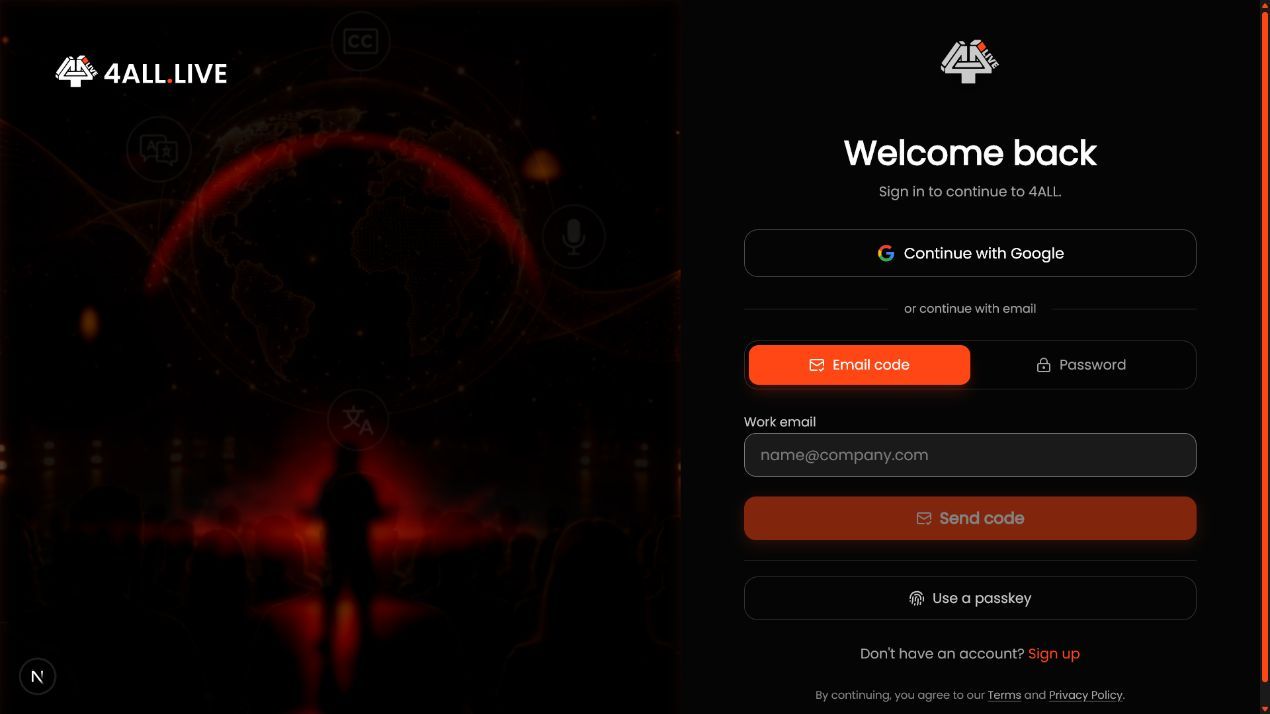
- Select Continue with Google. Start from the official 4All sign-in or sign-up page.
- Choose the correct Google identity. Inspect the email when multiple accounts are active.
- Complete authorization. Allow the browser to return to 4All; do not reuse a stale callback URL.
- Resolve an existing-account message. Sign in once with email code or password to verify ownership, then retry Google so the identity can link.
- Confirm membership. Select the intended organization and inspect event access.
What success looks like: Google authenticates or safely links the intended identity without creating a duplicate workspace account.
Check your setup
- The 4All user email matches the selected Google identity.
- Existing organizations remain visible.
- No alias-based duplicate account was created.
Troubleshooting
Access denied
Restart and approve, or use email-code sign-in if policy blocks Google.
State expired
Close callback tabs and restart from the 4All sign-in page.
Google returned no email
Use another verified Google identity or email sign-in.
Security and operational notes
- Review the displayed Google identity before approving.
- Use managed identities when required by policy.
- Google authentication does not grant 4All permissions.
Related guides
- Sign In with an Email Code or Password
- Manage Your Profile and Email
- Account Recovery Without a Passkey
Was this helpful?
Still need help? Ask the team