Enable and Share ASL Access
Enable the event capability and distribute the correct interpreter, operator, and audience destinations.
Written By 4ALL.LIVE
Last updated 4 months ago
Enable the event capability and distribute the correct interpreter, operator, and audience destinations.
Best for: ASL interpreters, ASL operators, accessibility producers, video engineers, event producers, and authorized support staff.
Before you start
ASL must be enabled and entitled for the event. Roles, viewer integration, egress, usage, and PTZ availability depend on organization permissions, plan, devices, and current event state.
- Assign a primary and backup interpreter/operator.
- Use a supported camera, headset/microphone, well-lit space, stable network, and approved background.
- Rehearse private and public paths on the same devices/network used for production.
Setup and sharing
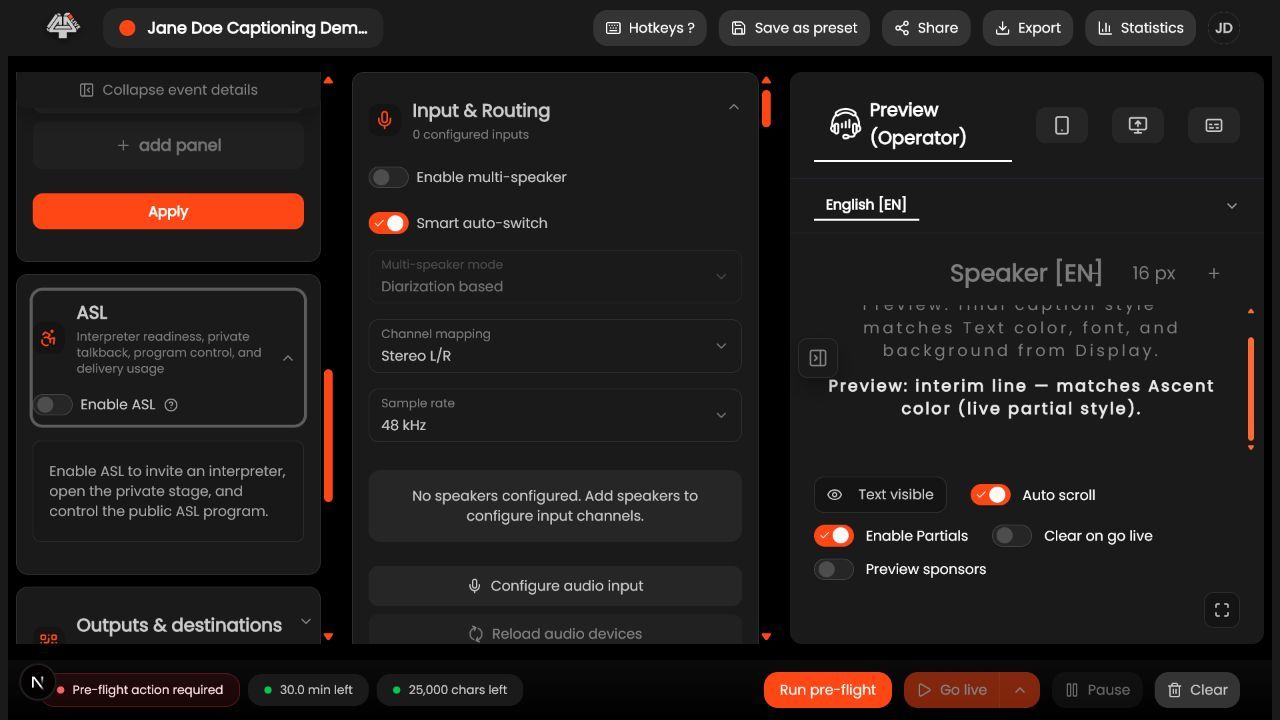
- Confirm plan and roles. Verify ASL entitlement and exact operator/interpreter permissions.
- Open event ASL settings. Enable ASL and save.
- Open Share/ASL controls. Identify operator control, interpreter/private stage, public Program, and viewer/PiP destinations.
- Label links before sending. Include event, role, public/private classification, and expiry/retention policy.
- Send privately. Operator/interpreter links go through approved channels to named accounts.
- Test audience access. Public output/viewer behavior in a signed-out browser.
- Test access boundaries. Viewers cannot enter private/control surfaces and interpreters do not receive broad admin access.
- Revoke/disable after event. Remove temporary roles and private destinations according to policy.
What success looks like: Interpreters receive safe private coordination and the audience receives a verified public ASL output with tested recovery.
Check your setup
- Each person receives only the intended surface and the public viewer can access ASL only when Program is live.
Troubleshooting
ASL setting hidden
Check entitlement/organization/event and role.
Interpreter denied
Check account, invitation, team/event access, and ASL role.
Wrong link distributed
Stop/revoke, notify production/security, and send the correct destination.
Security and operational notes
- Never publish private-stage/control links.
- Use individual accounts.
- Treat link labels and sharing records as sensitive.
Related guides
Was this helpful?
Still need help? Ask the team